> ## Documentation Index
> Fetch the complete documentation index at: https://invopop-link-fix.mintlify.site/llms.txt
> Use this file to discover all available pages before exploring further.

# PDF Generator guide

> How to issue simple PDF invoices globally.

export const pdfInvoiceWorkflow = {
  "name": "PDF invoice",
  "description": "Add a sequential code and generate a PDF",
  "schema": "bill/invoice",
  "steps": [{
    "id": "6b16c200-a75f-11ef-ba08-91f336761c6c",
    "name": "Add sequential code",
    "provider": "sequence.enumerate",
    "summary": "Dynamic · Invoice · 000001",
    "config": {
      "padding": 6,
      "start": 1,
      "name": "Invoice"
    }
  }, {
    "id": "fc75e4f0-8721-11ef-a962-73e3f2037a52",
    "name": "Sign envelope",
    "provider": "silo.close"
  }, {
    "id": "c61adaa0-7b55-11ef-bffc-d9a10ebf9f89",
    "name": "Generate PDF",
    "config": {
      "logo_height": 40,
      "locale": "en",
      "date_format": "%Y-%m-%d"
    },
    "summary": "English",
    "provider": "pdf"
  }],
  "rescue": [{
    "id": "9a7b3d50-1358-11ef-af96-a18cfb3774fa",
    "name": "Set state",
    "config": {
      "state": "error"
    },
    "provider": "silo.state",
    "summary": "Set state to `error`{.state .error}"
  }]
};

export const WorkflowDiagram = ({workflow}) => {
  const stateColors = {
    processing: "yellow",
    sent: "blue",
    received: "blue",
    registered: "green",
    completed: "green",
    error: "red"
  };
  const StateChip = ({state, label}) => <Badge size="sm" color={stateColors[state] || "gray"} icon="square-small" iconType="solid">
      {label.charAt(0).toUpperCase() + label.slice(1)}
    </Badge>;
  const providerIcons = {
    "silo.state": "https://silo.invopop.com/images/status.svg",
    "silo.close": "https://silo.invopop.com/images/check-badge.svg",
    "silo.if": "https://assets.invopop.com/apps/silo/if.svg",
    "silo.folder": "https://silo.invopop.com/images/folder.svg",
    "silo.modify": "https://silo.invopop.com/images/modify.svg",
    "silo.correct": "https://silo.invopop.com/images/replace.svg",
    "silo.sleep": "https://assets.invopop.com/icons/sleep.svg",
    silo: "https://assets.invopop.com/apps/silo/icon.svg",
    "sequence.enumerate": "https://sequence.invopop.com/images/enumerate.svg",
    "transform.job.create": "https://transform.invopop.com/images/jobs.svg",
    webhook: "https://webhook.invopop.com/icon.svg",
    lookup: "https://lookup.invopop.com/icon.png",
    dropbox: "https://dropbox.invopop.com/icon.png",
    pdf: "https://pdf.invopop.com/file-pdf.svg",
    peppol: "https://assets.invopop.com/apps/peppol/icon.svg",
    ubl: "https://assets.invopop.com/apps/ubl/logo.svg",
    cii: "https://assets.invopop.com/apps/cii/logo.svg",
    "gov-fr": "https://assets.invopop.com/flags/fr.svg",
    "chorus-pro": "https://assets.invopop.com/apps/chroruspro/icon.svg",
    "gov-es": "https://assets.invopop.com/apps/gov-es/icon.svg",
    "gov-es.sii": "https://assets.invopop.com/apps/sii/icon.svg",
    "gov-es.ticketbai": "https://assets.invopop.com/apps/ticketbai/icon.svg",
    "gov-es.facturae": "https://assets.invopop.com/apps/facturae/icon.svg",
    verifactu: "https://assets.invopop.com/apps/verifactu/icon.svg",
    "gov-pl": "https://assets.invopop.com/apps/ksef/icon.svg",
    "gov-sa": "https://assets.invopop.com/apps/zatca/icon.svg",
    "gov-ar": "https://assets.invopop.com/apps/arca/icon.svg",
    "at-pt": "https://assets.invopop.com/apps/at-pt/icon.svg",
    "sat-mx": "https://assets.invopop.com/apps/sat-mexico/icon.svg",
    "sw-sapien": "https://assets.invopop.com/apps/sw-sapien/icon.svg",
    "sdi-it": "https://assets.invopop.com/apps/sdi-italy/icon.svg",
    "ticket-it": "https://assets.invopop.com/apps/agenzia-entrate/icon.svg",
    "nfe-br": "https://assets.invopop.com/apps/notas-fiscais-eletronicas-brazil/icon.svg",
    chargebee: "https://assets.invopop.com/apps/chargebee/icon.svg",
    stripe: "https://assets.invopop.com/apps/stripe/icon.svg",
    email: "https://assets.invopop.com/apps/email/icon.svg",
    cron: "https://assets.invopop.com/apps/cron/icon.svg",
    ilyda: "https://assets.invopop.com/apps/ilyda/icon.svg",
    invoicexpress: "https://assets.invopop.com/apps/invoicexpress/icon.svg",
    plemsi: "https://assets.invopop.com/flags/co.svg"
  };
  const iconFor = provider => {
    const parts = (provider || "").split(".");
    for (let i = parts.length; i > 0; i--) {
      const url = providerIcons[parts.slice(0, i).join(".")];
      if (url) return url;
    }
    return null;
  };
  const StepIcon = ({provider}) => {
    const url = iconFor(provider);
    return <span title={provider} className="flex h-7 w-7 shrink-0 items-center justify-center rounded-md border border-gray-950/10 bg-white dark:border-white/10 dark:bg-white/5">
        {url ? <img src={url} alt="" className="h-4 w-4" /> : null}
      </span>;
  };
  const renderSummary = summary => {
    const nodes = [];
    const re = /`([^`]+)`(\{[^}]*\})?/g;
    let last = 0;
    let m;
    let k = 0;
    while ((m = re.exec(summary)) !== null) {
      if (m.index > last) nodes.push(summary.slice(last, m.index));
      const attrs = m[2] || "";
      if (attrs.indexOf(".state") >= 0) {
        const state = (attrs.match(/\.state\s+\.([\w-]+)/) || [])[1] || m[1];
        nodes.push(<StateChip key={k++} state={state} label={m[1]} />);
      } else if (attrs) {
        nodes.push(<span key={k++} className="text-sm font-medium text-gray-700 dark:text-gray-300">
            {m[1]}
          </span>);
      } else {
        nodes.push(<code key={k++} className="text-sm rounded bg-gray-100 px-1 font-mono text-sm dark:bg-white/10">
            {m[1]}
          </code>);
      }
      last = m.index + m[0].length;
    }
    if (last < summary.length) nodes.push(summary.slice(last));
    return nodes;
  };
  const NoteRow = ({text}) => <div className="mt-4 mb-1 font-mono text-sm leading-5 text-gray-400 dark:text-gray-500">{"// " + text}</div>;
  const renderSteps = (steps, counter) => (steps || []).map(step => {
    counter.n += 1;
    const n = counter.n;
    const branches = (step.next || []).filter(b => b.steps && b.steps.length > 0);
    return <div key={step.id || "step-" + n}>
          {step.notes ? <NoteRow text={step.notes} /> : null}
          <div className="mt-2.5 flex items-center">
            <span className="absolute left-0 w-10 text-center font-mono text-sm text-gray-400 select-none dark:text-gray-500">
              {n}
            </span>
            <div className="flex min-w-0 flex-1 items-center gap-2 rounded-xl border border-gray-950/5 bg-white px-2 py-2 dark:border-white/10 dark:bg-gray-900">
              <StepIcon provider={step.provider} />
              <span className="text-sm shrink-0 font-medium text-gray-900 dark:text-gray-100">{step.name}</span>
              {step.summary ? <span className="text-sm min-w-0 truncate text-gray-500 dark:text-gray-400">{renderSummary(step.summary)}</span> : null}
            </div>
          </div>
          {branches.length > 0 ? <div className="ml-5 border-l border-gray-200 -my-1 py-1 pl-6 dark:border-white/10">
              {branches.map((branch, bi) => <div key={branch.code || branch.status || bi}>
                  <div className="mt-4">
                    <span className="rounded-md bg-gray-200/70 px-2 py-1 font-mono text-sm text-gray-600 dark:bg-white/10 dark:text-gray-300">
                      {branch.code || branch.status}
                    </span>
                  </div>
                  {renderSteps(branch.steps, counter)}
                </div>)}
            </div> : null}
        </div>;
  });
  const counter = {
    n: 0
  };
  const wf = workflow || ({});
  return <div className="not-prose relative my-5 rounded-2xl border border-gray-950/5 bg-gray-50 py-3 pr-4 pb-5 pl-12 dark:border-white/10 dark:bg-white/[0.03]">
      {renderSteps(wf.steps, counter)}
      {wf.rescue && wf.rescue.length > 0 ? <div className="mt-6 border-t border-dashed border-gray-300 dark:border-white/10">
          <NoteRow text="If any step fails" />
          {renderSteps(wf.rescue, counter)}
        </div> : null}
    </div>;
};

## Introduction

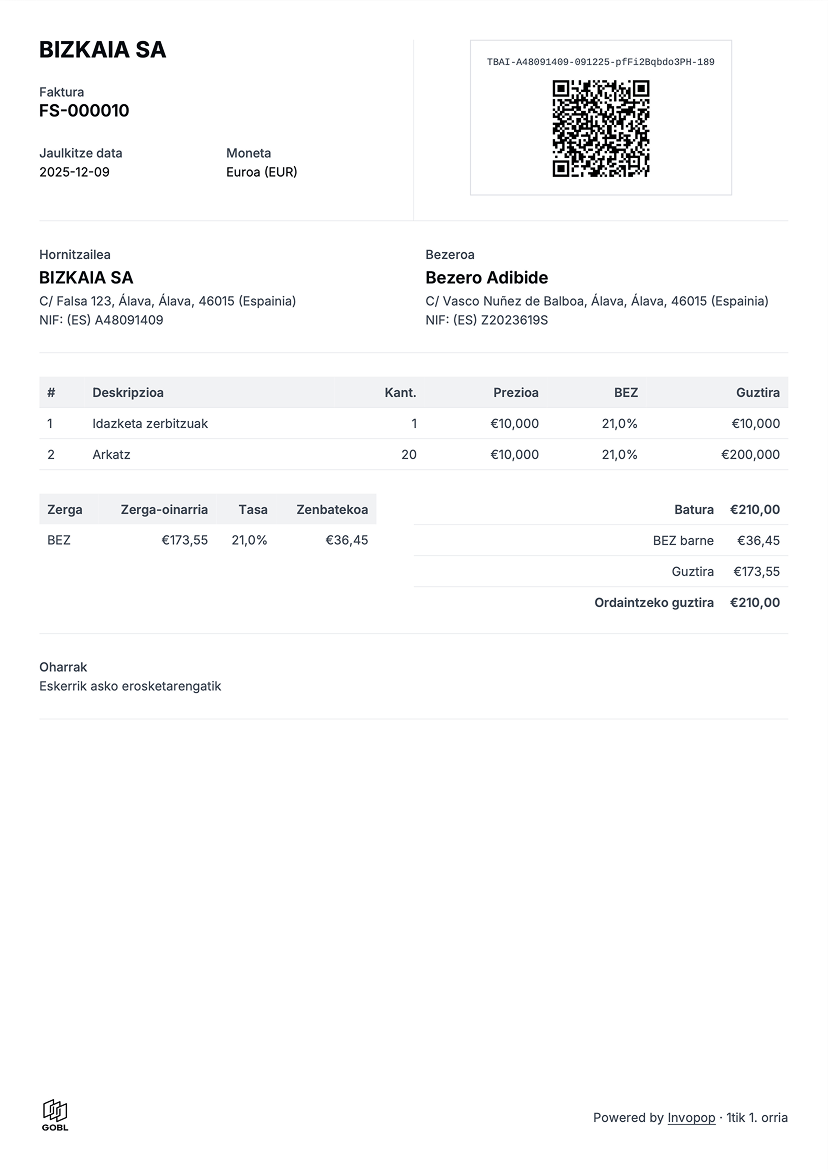
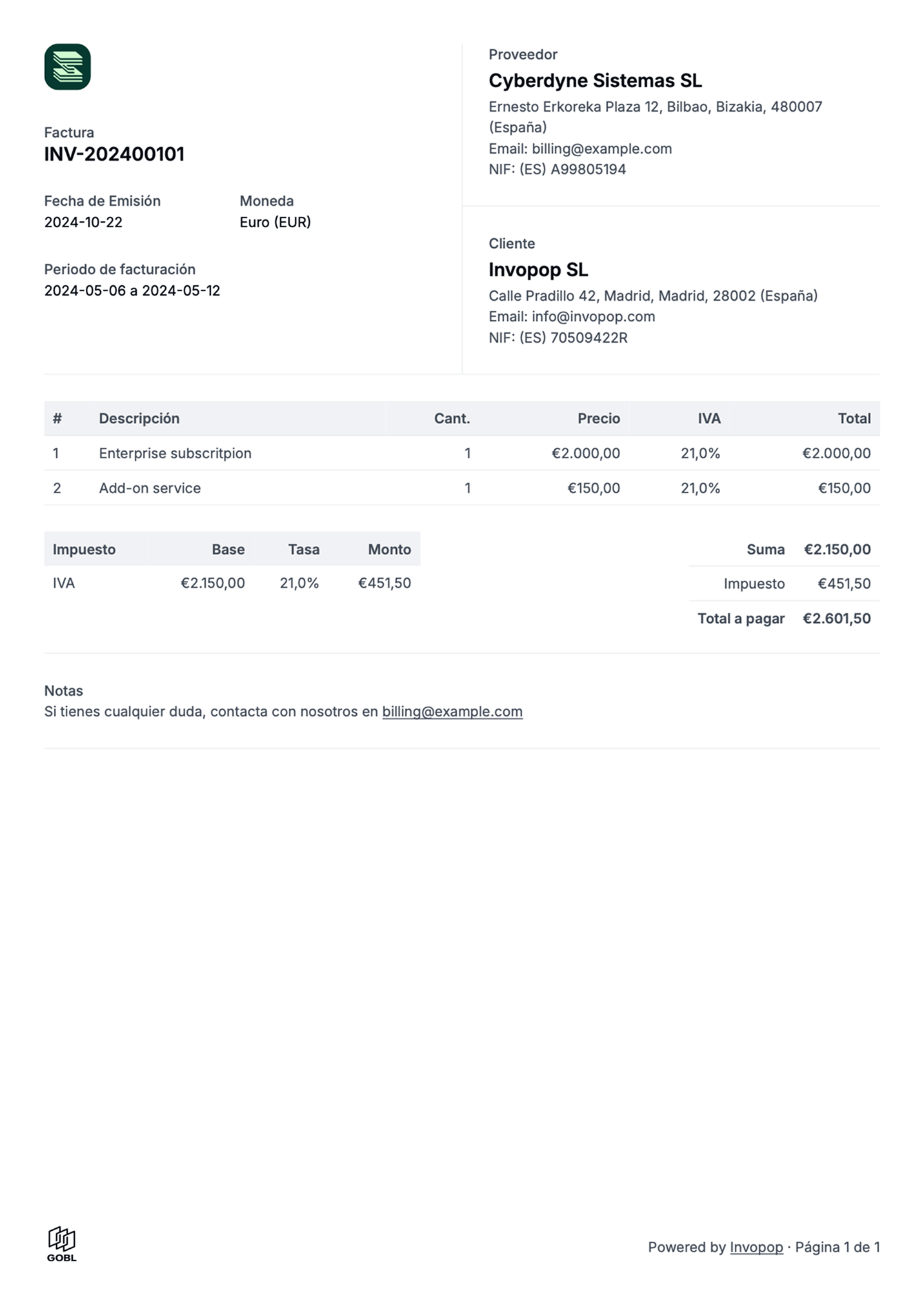
This guide will walk you through the process of generating a simple PDF invoice you can send to your customers. It will also explain all the configuration options available in the "Generate PDF" workflow step.

PDF invoices are valid for tax regimes that don't require e-reporting or e-invoicing, and serve as a useful example from which to create your own workflows.

Once completed, the workflow will work with any GOBL invoice produced for any country in the world.

<Frame>
  <img src="https://mintcdn.com/invopop-link-fix/Z4sJgO0ukNfGFiQu/assets/console/generate-pdf-example.png?fit=max&auto=format&n=Z4sJgO0ukNfGFiQu&q=85&s=43e6768aa779539f244c1e838e699421" width="300" alt="Example of a PDF invoice" data-path="assets/console/generate-pdf-example.png" />
</Frame>

## Prerequisites

You'll need the following data to issue basic PDF invoices:

* **Supplier details:** fiscal details of the issuer.
* **Customer details:** fiscal details of who is receiving for B2B invoices.
* **Items:** list of products or services being sold, including quantities and prices.
* **Taxes & Rates:** knowing how these apply to each item.
* **Series:** a series is a counter with number formatting details to be able to generate a code.

## Setup

Issuing PDF invoices with Invopop requires very little preparation. We assume that you already have access to the [Invopop Console](https://console.invopop.com) and know how to [create a workflow](/guides/workflows).
<Card iconType="duotone" title="PDF Invoice workflow" icon="code-branch" href="https://console.invopop.com/redirect/workflows/new?template=pdf-invoice" horizontal>
  Add to my workspace →
</Card>

<Tabs>
  <Tab title="Workflow">
    <WorkflowDiagram workflow={pdfInvoiceWorkflow} />
  </Tab>

  <Tab title="Code">
    Copy and paste into a new [Empty Invoice workflow](https://console.invopop.com/redirect/workflows/new?template=empty-invoice) code view.

    ```json Example PDF invoice workflow theme={null}
    {
      "name": "PDF invoice",
      "description": "Add a sequential code and generate a PDF",
      "schema": "bill/invoice",
      "steps": [
        {
          "id": "6b16c200-a75f-11ef-ba08-91f336761c6c",
          "name": "Add sequential code",
          "provider": "sequence.enumerate",
          "summary": "Dynamic · Invoice · 000001",
          "config": {
            "padding": 6,
            "start": 1,
            "name": "Invoice"
          }
        },
        {
          "id": "fc75e4f0-8721-11ef-a962-73e3f2037a52",
          "name": "Sign envelope",
          "provider": "silo.close"
        },
        {
          "id": "c61adaa0-7b55-11ef-bffc-d9a10ebf9f89",
          "name": "Generate PDF",
          "config": {
            "logo_height": 40,
            "locale": "en",
            "date_format": "%Y-%m-%d"
          },
          "summary": "English",
          "provider": "pdf"
        }
      ],
      "rescue": [
            {
                "id": "9a7b3d50-1358-11ef-af96-a18cfb3774fa",
                "name": "Set state",
                "config": {
                    "state": "error"
                },
                "provider": "silo.state",
                "summary": "Set state to `error`{.state .error}"
            }
        ]
    }
    ```
  </Tab>
</Tabs>

### Configuration options

Once you have connected the "PDF Generator" app, you can configure the "Generate PDF" workflow step. The following  options are available:

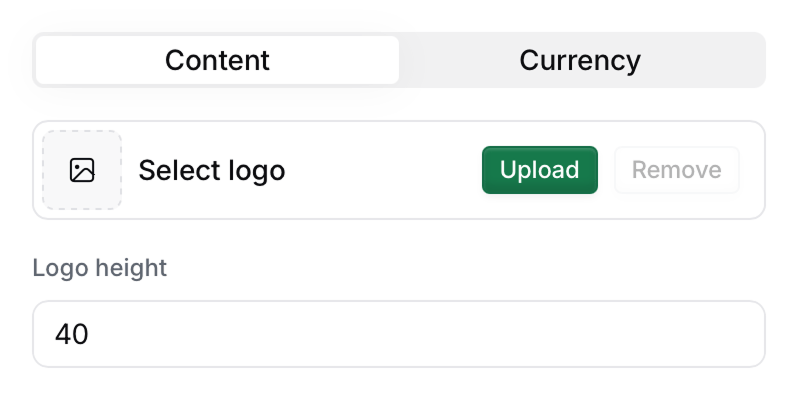
#### Content section

<Frame>
  <img src="https://mintcdn.com/invopop-link-fix/Z4sJgO0ukNfGFiQu/assets/console/generate-pdf-logo.png?fit=max&auto=format&n=Z4sJgO0ukNfGFiQu&q=85&s=6955e72eda985432db66147ea7112fd8" width="400" alt="Generate PDF logo" data-path="assets/console/generate-pdf-logo.png" />
</Frame>

|                 |                                                                                                                                                                                                                                                                                                                                                                                                                                                                                                                            |
| --------------- | -------------------------------------------------------------------------------------------------------------------------------------------------------------------------------------------------------------------------------------------------------------------------------------------------------------------------------------------------------------------------------------------------------------------------------------------------------------------------------------------------------------------------- |
| **Upload logo** | Upload an image which will be used as a logo in the document. A square or horizontal logo layout in PNG format is recommended. `PNG`, `GIF`, `JPG` and `SVG` file types are supported. For bitmap images, it is recommended that the logo is at least twice the size of the height for it to print in high quality. If you need to upload a different logo for each supplier, include the `logos` field in the party entry [as detailed in the FAQ](/guides/pdf-invoice#how-can-i-add-a-different-logo-for-each-supplier). |
| **Logo height** | Height for the logo in pixels. There's 72 pixels in an inch and 37 pixels in a centimeter. The default height is 40 pixels (a little over 1cm)                                                                                                                                                                                                                                                                                                                                                                             |
<Frame>
  <img src="https://mintcdn.com/invopop-link-fix/Z4sJgO0ukNfGFiQu/assets/console/generate-pdf-locale.png?fit=max&auto=format&n=Z4sJgO0ukNfGFiQu&q=85&s=78f6daca75d8f7c8843f022282ac6fd7" width="400" alt="Generate PDF locale" data-path="assets/console/generate-pdf-locale.png" />
</Frame>

|                 |                                                                                                                                                                                                                                                                                                                                                                                                                                                                                                        |
| --------------- | ------------------------------------------------------------------------------------------------------------------------------------------------------------------------------------------------------------------------------------------------------------------------------------------------------------------------------------------------------------------------------------------------------------------------------------------------------------------------------------------------------ |
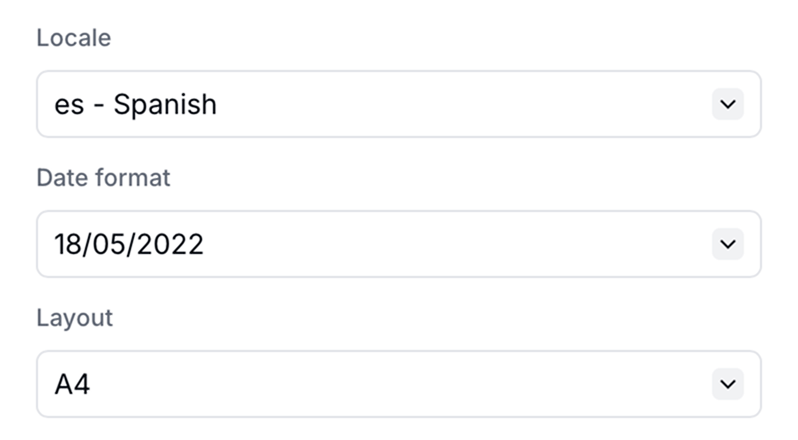
| **Locale**      | Sets the language and formatting conventions used in the PDF. We add new locales based on the demand of our customers.                                                                                                                                                                                                                                                                                                                                                                                 |
| **Date format** | Controls how dates are displayed. Options include: `YYYY-MM-DD`, `DD-MM-YYYY`, `MM-DD-YYYY`, `DD.MM.YYYY`, `MM.DD.YYYY`                                                                                                                                                                                                                                                                                                                                                                                |
| **Time format** | Controls how times are displayed in datetime fields. Options include: `20:45` (24-hour hh:mm), `20:45:03` (24-hour hh:mm:ss), `8:45 PM` (12-hour hh:mm), `8:45:00 PM` (12-hour hh:mm:ss). When set, the date and time are joined with a `·` separator.                                                                                                                                                                                                                                                 |
| **Layout**      | Defines the physical page size for regional printing standards. Options include: <ul><li>`A4`: used in Europe and various other countries.</li><li>`Letter`: used in United States, Canada, Mexico, Philippines, and other countries in Latin America.</li><li>`DIN5008`: used in Germany as the standard for documents that will present information within an envelope window. If you select this option, the customer's information (name and address) will be placed within this window.</li></ul> |
<Frame>
  <img src="https://mintcdn.com/invopop-link-fix/Z4sJgO0ukNfGFiQu/assets/console/generate-pdf-visuals.png?fit=max&auto=format&n=Z4sJgO0ukNfGFiQu&q=85&s=b7b70b3d97989238765d2d52a20d3e98" width="400" alt="Generate PDF visual markers" data-path="assets/console/generate-pdf-visuals.png" />
</Frame>

|                          |                                                                                                                           |
| ------------------------ | ------------------------------------------------------------------------------------------------------------------------- |
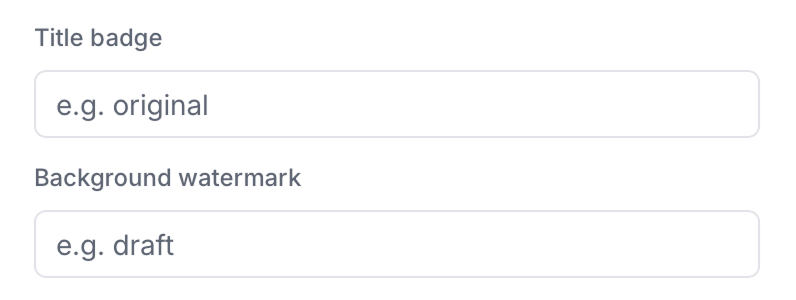
| **Title badge**          | Contextual labels such as "original", "copy", "draft", or "internal"                                                      |
| **Background watermark** | Text that will be displayed in the background of the document such as "draft", "review", "internal", "confidential", etc. |
<Frame>
  <img src="https://mintcdn.com/invopop-link-fix/Z4sJgO0ukNfGFiQu/assets/console/generate-pdf-checkboxes.png?fit=max&auto=format&n=Z4sJgO0ukNfGFiQu&q=85&s=1872f721be315305521361363fb2814e" width="400" alt="Generate PDF checkboxes" data-path="assets/console/generate-pdf-checkboxes.png" />
</Frame>

|                                  |                                                                                                                                                                                                                                                                                                                             |
| -------------------------------- | --------------------------------------------------------------------------------------------------------------------------------------------------------------------------------------------------------------------------------------------------------------------------------------------------------------------------- |
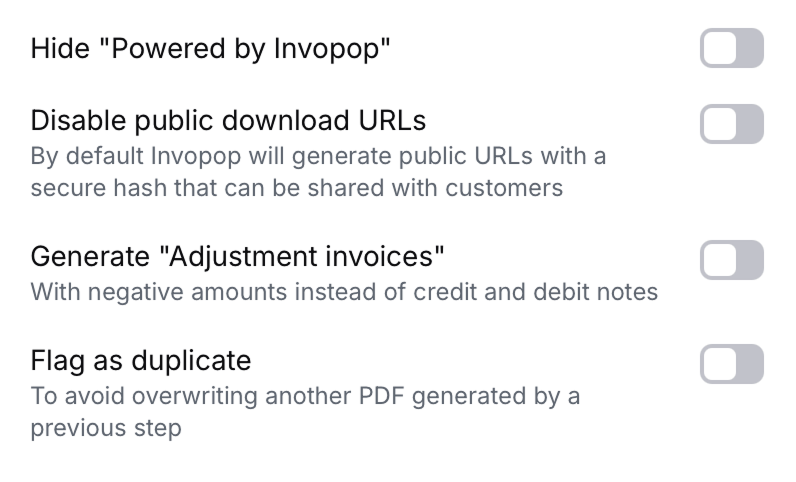
| **Hide "Powered by Invopop"**    | Toggle to hide the "Powered by Invopop" attribution. This setting does not remove the GOBL logo from the PDF.                                                                                                                                                                                                               |
| **Disable public download URLs** | Security control to disable the creation of public download URLs for generated PDFs, preventing external sharing via link.                                                                                                                                                                                                  |
| **Adjustment invoices**          | Toggle to generate "adjustment invoices" using negative values instead of traditional credit and debit notes. Useful for countries that don't officially recognise the concept of credit or debit notes such as Spain and Poland [as detailed in the FAQ](/guides/pdf-invoice#why-would-i-want-to-use-adjustment-invoices). |
| **Flag as duplicate**            | Use when you want to generate a duplicate invoice. If not selected and the silo entry already contains a PDF, the workflow will overwrite the existing PDF.                                                                                                                                                                 |

#### Currency section

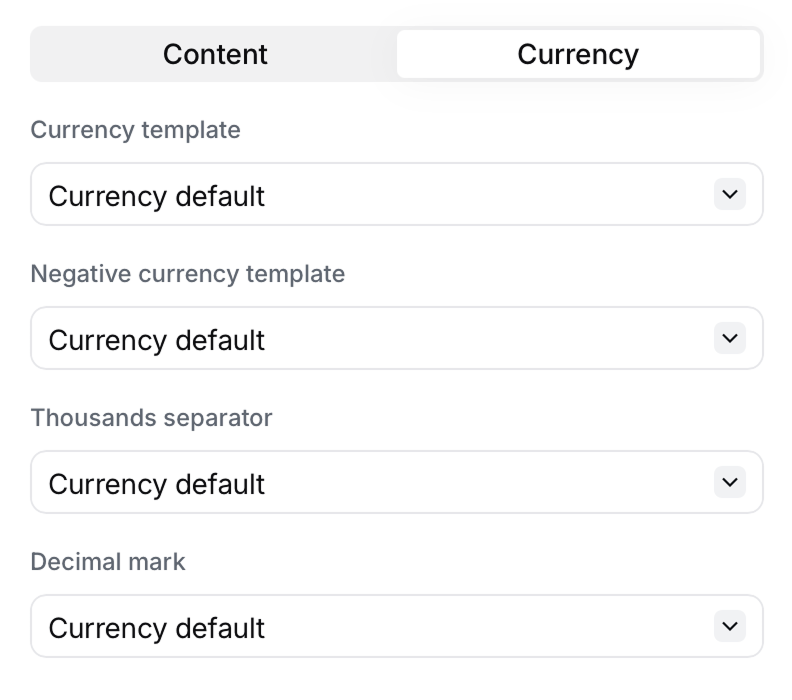
**Currency formatting** allows overriding the default currency formatting normally dictated by the document's own currency.
<Frame>
  <img src="https://mintcdn.com/invopop-link-fix/Z4sJgO0ukNfGFiQu/assets/console/generate-pdf-formatting.png?fit=max&auto=format&n=Z4sJgO0ukNfGFiQu&q=85&s=acd6f360c3c3fc0ee8877a00e587c48b" width="400" alt="Generate PDF formatting" data-path="assets/console/generate-pdf-formatting.png" />
</Frame>

|                                |                                                                                                                                                                          |
| ------------------------------ | ------------------------------------------------------------------------------------------------------------------------------------------------------------------------ |
| **Currency template**          | Whether the currency symbol should be before or after the number, e.g. `€100` or `100€`.                                                                                 |
| **Format for negative values** | Whether the negative sign should be before or after the number, e.g. `€-100` or `-€100`. Parenthesis `- €(100)` can also be used according to some accounting standards. |
| **Thousands separator**        | Separator to improve the readability of the number, e.g. `1,000`, `1.000`, `1 000` or `1_000`.                                                                           |
| **Decimal mark**               | Separator for the decimal part of the number, e.g. `1.00` or `1,00`.                                                                                                     |

### Workflow args

All configuration options above can also be set programmatically using workflow step args. This is useful when you need to dynamically override PDF settings per job via the API.

| Arg Key               | Type    | Description                                                                                                          |
| --------------------- | ------- | -------------------------------------------------------------------------------------------------------------------- |
| `pdf-logo-url`        | string  | URL of the supplier logo. Supports regular URLs and data URLs.                                                       |
| `pdf-logo-height`     | integer | Height of the logo in pixels (default: 40).                                                                          |
| `pdf-locale`          | string  | Two-letter language code, e.g. `en`, `es`, `de`.                                                                     |
| `pdf-date-format`     | string  | Date format using `%Y`, `%m`, `%d` tokens, e.g. `%d/%m/%Y`.                                                          |
| `pdf-time-format`     | string  | Time format using `%H`, `%M`, `%S` (24-hour) or `%I`, `%M`, `%S`, `%p` (12-hour) tokens, e.g. `%H:%M` or `%I:%M %p`. |
| `pdf-layout`          | string  | Page layout: `A4`, `Letter`, or `DIN5008`.                                                                           |
| `pdf-label`           | string  | Title badge text, e.g. `Paid`, `Original`.                                                                           |
| `pdf-watermark`       | string  | Background watermark text, e.g. `Draft`, `Confidential`.                                                             |
| `pdf-hide-promo`      | boolean | Set to `true` to hide the "Powered by Invopop" text.                                                                 |
| `pdf-adjustment-mode` | boolean | Set to `true` to use negative amounts in credit notes.                                                               |
| `pdf-duplicate`       | boolean | Set to `true` to generate a duplicate PDF without overwriting the existing one.                                      |

## Running

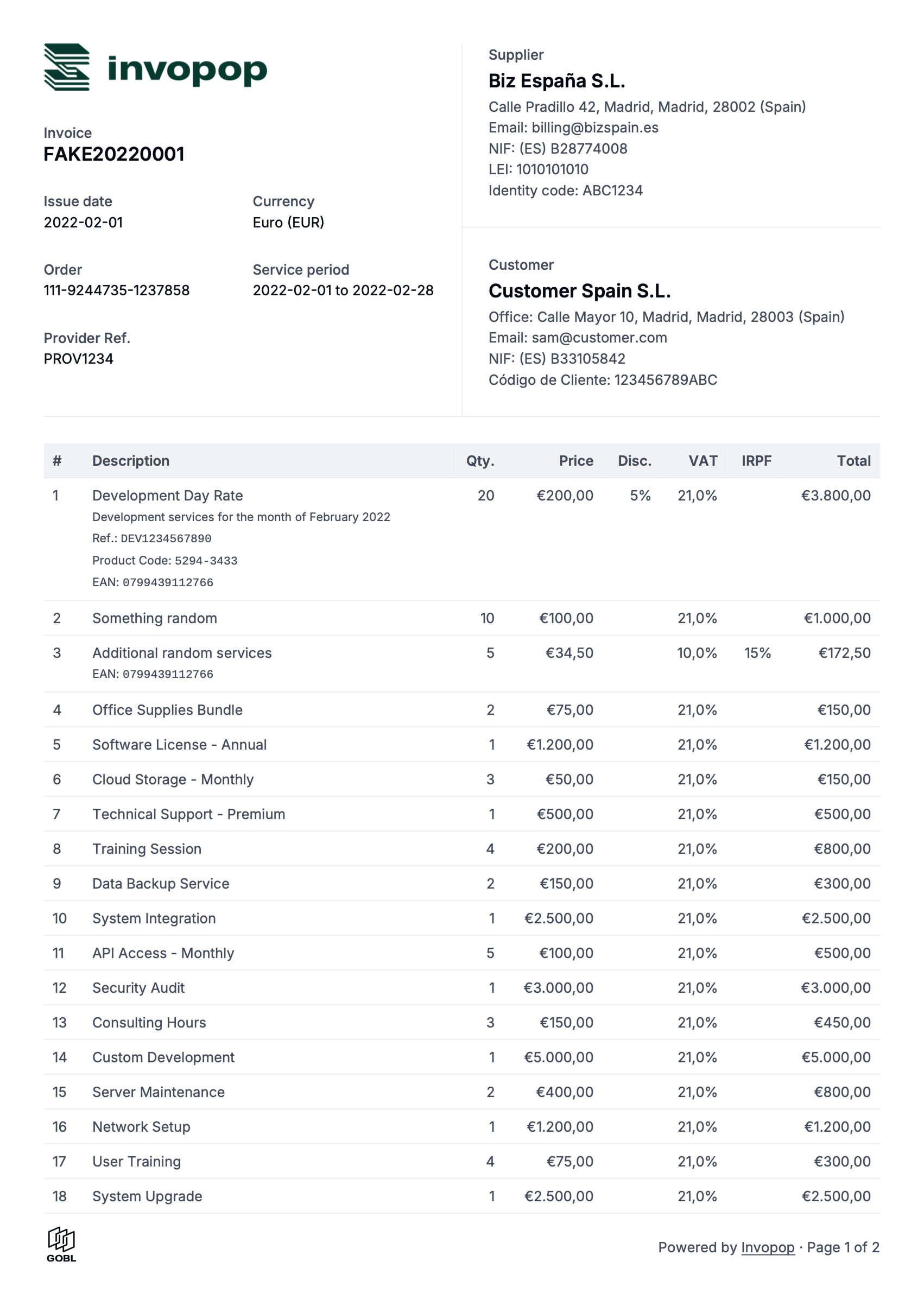
Use the following example [GOBL Invoices](https://docs.gobl.org/draft-0/bill/invoice) inside the [Invopop Console](https://console.invopop.com) or via the API to create new silo entries. Once a silo entry has been stored, you can create a new job to run the "PDF Invoice" workflow you just created.
<AccordionGroup>
  <Accordion title="B2B Invoice - United Kingdom">
    ```json A simple invoice for a VAT registered supplier in the United Kingdom expandable theme={null}
    {
      "$schema": "https://gobl.org/draft-0/bill/invoice",
      "currency": "GBP",
      "series": "TEST",
      "supplier": {
        "tax_id": {
          "country": "GB",
          "code": "844281425"
        },
        "name": "BrightTech Solutions Ltd.",
        "emails": [
          {
            "addr": "billing@brighttech.co.uk"
          }
        ],
        "addresses": [
          {
            "num": "123",
            "street": "Innovation Park",
            "locality": "Cambridge",
            "code": "CB1 2AB",
            "country": "GB"
          }
        ]
      },
      "customer": {
        "tax_id": {
          "country": "GB",
          "code": "350983637"
        },
        "name": "GreenWave Energy Ltd.",
        "emails": [
          {
            "addr": "info@greenwave.co.uk"
          }
        ],
        "addresses": [
          {
            "num": "45",
            "street": "Riverside Business Park",
            "locality": "London",
            "code": "SW1A 1AA",
            "country": "GB"
          }
        ]
      },
      "lines": [
        {
          "quantity": 50,
          "item": {
            "name": "Thermal efficient mugs",
            "price": "16.00"
          },
          "taxes": [
            {
              "cat": "VAT",
              "rate": "standard"
            }
          ]
        }
      ]
    }
    ```
  </Accordion>

  <Accordion title="B2B Invoice - United States">
    ```json Simple invoice for a VAT registered supplier in the United States expandable theme={null}
    {
      "$schema": "https://gobl.org/draft-0/bill/invoice",
      "series": "SAMPLE",
      "currency": "USD",
      "tax": {
        "prices_include": "ST"
      },
      "supplier": {
        "name": "Provide One Inc.",
        "tax_id": {
          "country": "US"
        },
        "addresses": [
          {
            "num": "16",
            "street": "Jessie Street",
            "locality": "San Francisco",
            "region": "CA",
            "code": "94105",
            "country": "US"
          }
        ],
        "emails": [
          {
            "addr": "billing@provideone.com"
          }
        ]
      },
      "customer": {
        "name": "Sample Consumer",
        "emails": [
          {
            "addr": "email@sample.com"
          }
        ]
      },
      "lines": [
        {
          "i": 1,
          "quantity": "20",
          "item": {
            "name": "Development services",
            "price": "90.00",
            "unit": "h"
          },
          "discounts": [
            {
              "percent": "10%",
              "reason": "Special discount"
            }
          ],
          "taxes": [
            {
              "cat": "ST",
              "percent": "8.5%"
            }
          ]
        }
      ]
    }
    ```
  </Accordion>
</AccordionGroup>

## Example PDF invoices

<AccordionGroup>
  <Accordion title="Complete invoice (en)">
    <Frame caption="[View PDF](/assets/guides/pdf-full-invoice.pdf)">
      <img src="https://mintcdn.com/invopop-link-fix/1lP6Ab0d1FMqmHMb/assets/guides/pdf-full-invoice.png?fit=max&auto=format&n=1lP6Ab0d1FMqmHMb&q=85&s=db797db068a83360ee7a9d684027e9b8" width="400" alt="Example PDF invoice Full invoice" data-path="assets/guides/pdf-full-invoice.png" />
    </Frame>
  </Accordion>

  <Accordion title="Belgian invoice (fr)">
    <Frame caption="[View PDF](/assets/guides/pdf-belgium-fr.pdf)">
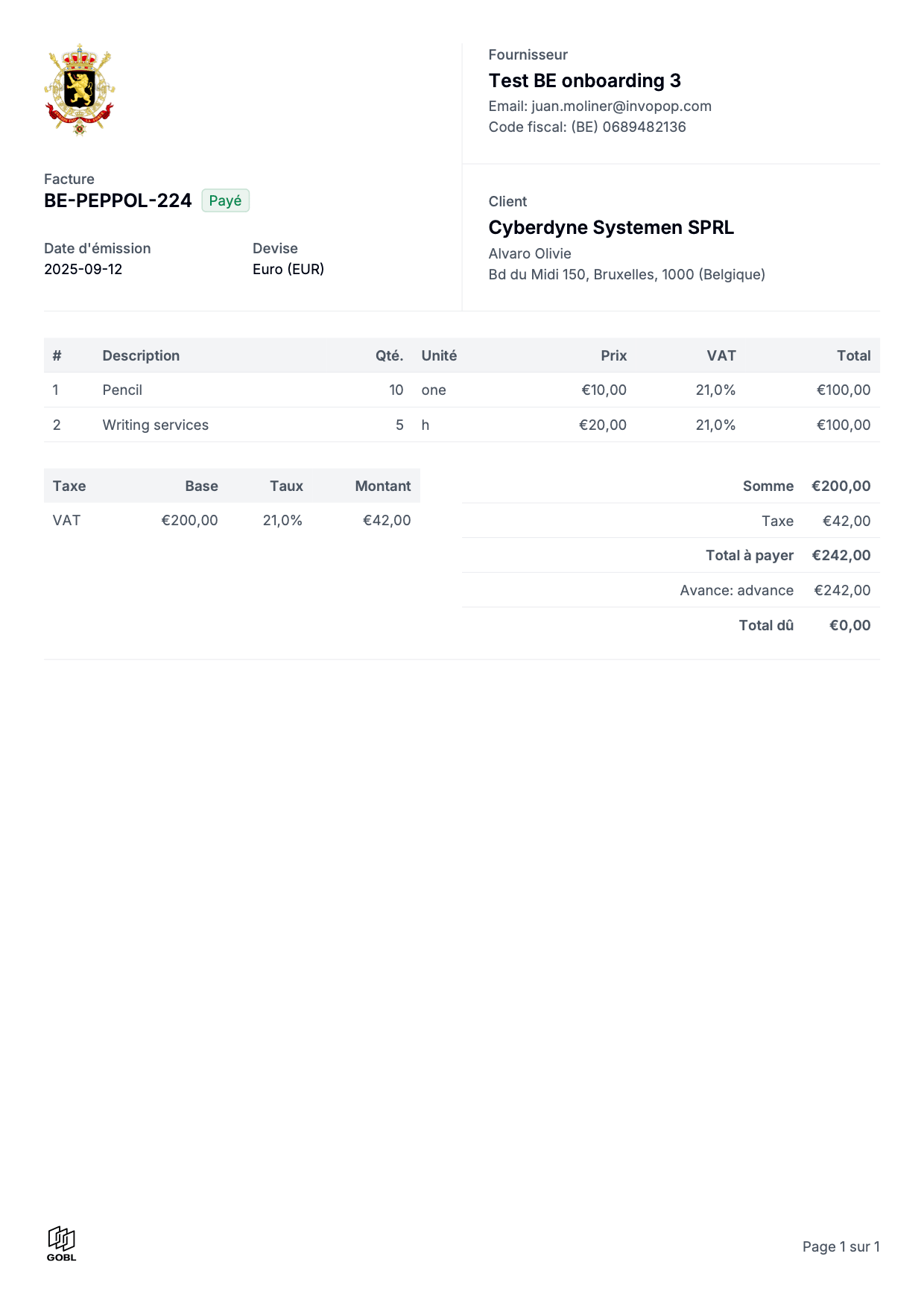
      <img src="https://mintcdn.com/invopop-link-fix/1lP6Ab0d1FMqmHMb/assets/guides/pdf-belgium-fr.png?fit=max&auto=format&n=1lP6Ab0d1FMqmHMb&q=85&s=4b1061d1a48544ad023a31d8ad93f4b5" width="400" alt="Example PDF invoice - Belgian invoice in French" data-path="assets/guides/pdf-belgium-fr.png" />
    </Frame>
  </Accordion>

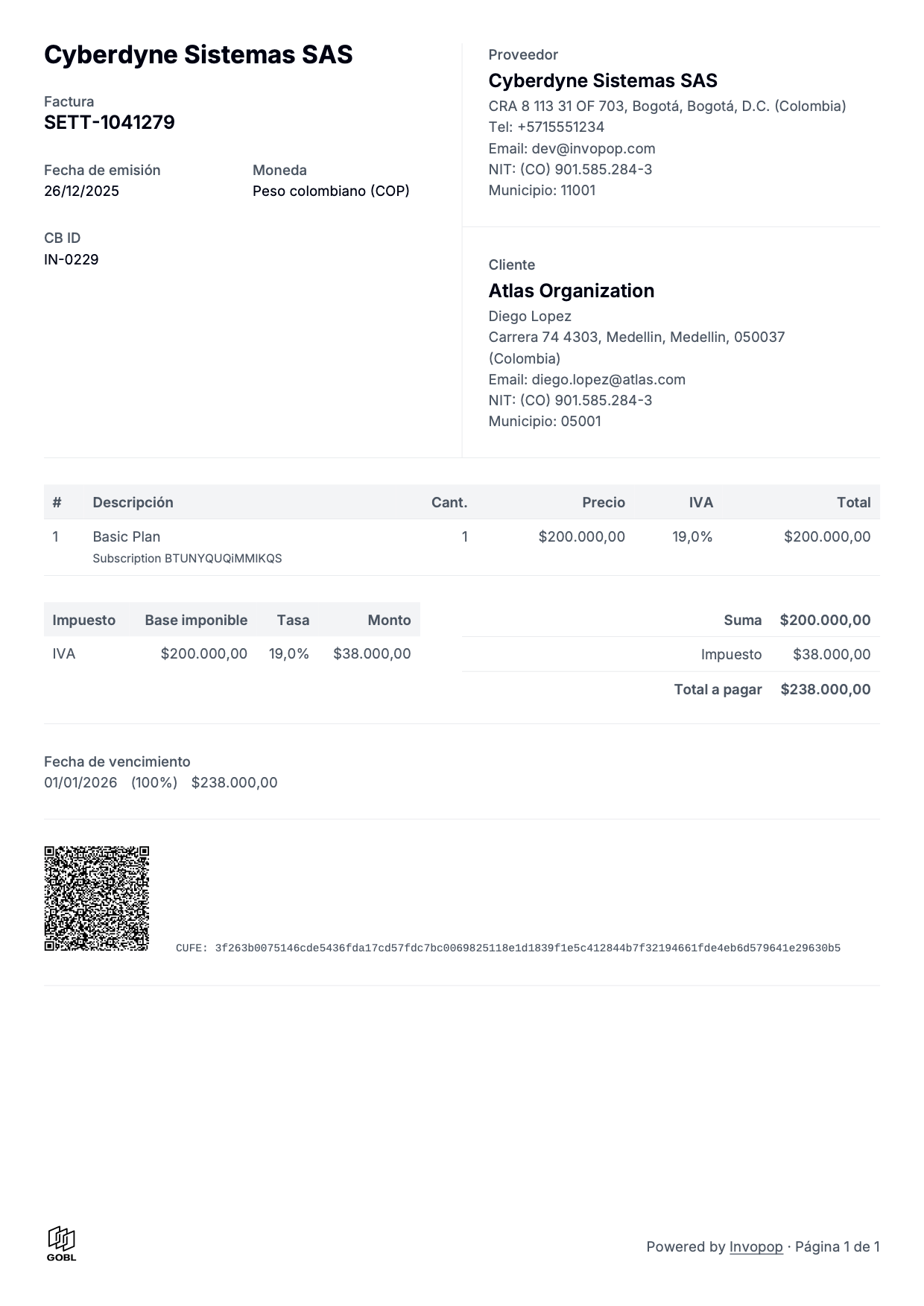
  <Accordion title="Colombian invoice (es)">
    <Frame caption="[View PDF](/assets/guides/pdf-colombia-es.pdf)">
      <img src="https://mintcdn.com/invopop-link-fix/1lP6Ab0d1FMqmHMb/assets/guides/pdf-colombia-es.png?fit=max&auto=format&n=1lP6Ab0d1FMqmHMb&q=85&s=d626c6ad5fd92edf4b52c206a8c10146" width="400" alt="Example PDF invoice - Colombian invoice in Spanish" data-path="assets/guides/pdf-colombia-es.png" />
    </Frame>
  </Accordion>

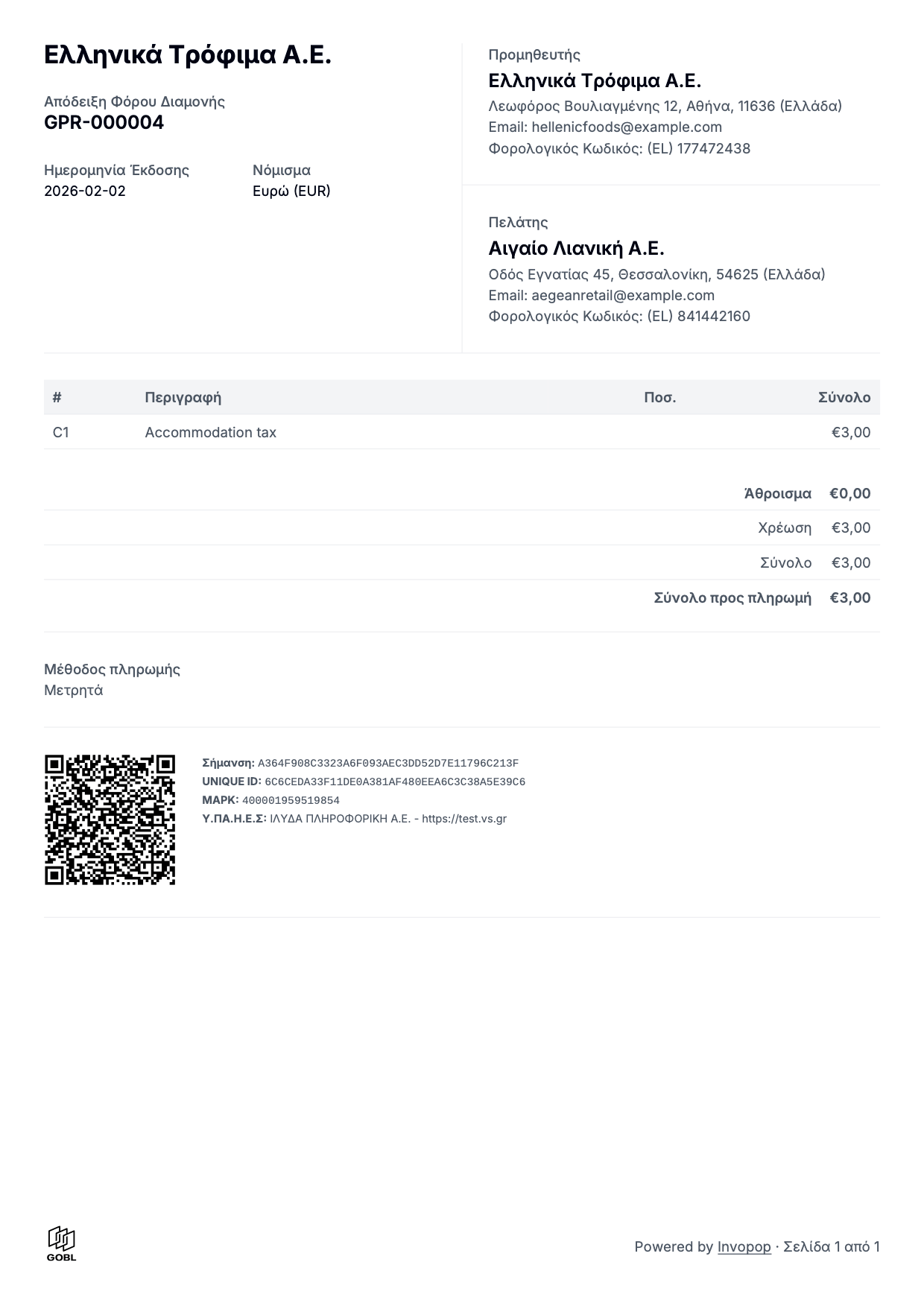
  <Accordion title="Greek invoice (el)">
    <Frame caption="[View PDF](/assets/guides/pdf-greece-gr.pdf)">
      <img src="https://mintcdn.com/invopop-link-fix/1lP6Ab0d1FMqmHMb/assets/guides/pdf-greece-gr.png?fit=max&auto=format&n=1lP6Ab0d1FMqmHMb&q=85&s=fa12e8793bc8cc7dd26b273a72c86bd5" width="400" alt="Example PDF invoice - Greek invoice in Greek" data-path="assets/guides/pdf-greece-gr.png" />
    </Frame>
  </Accordion>

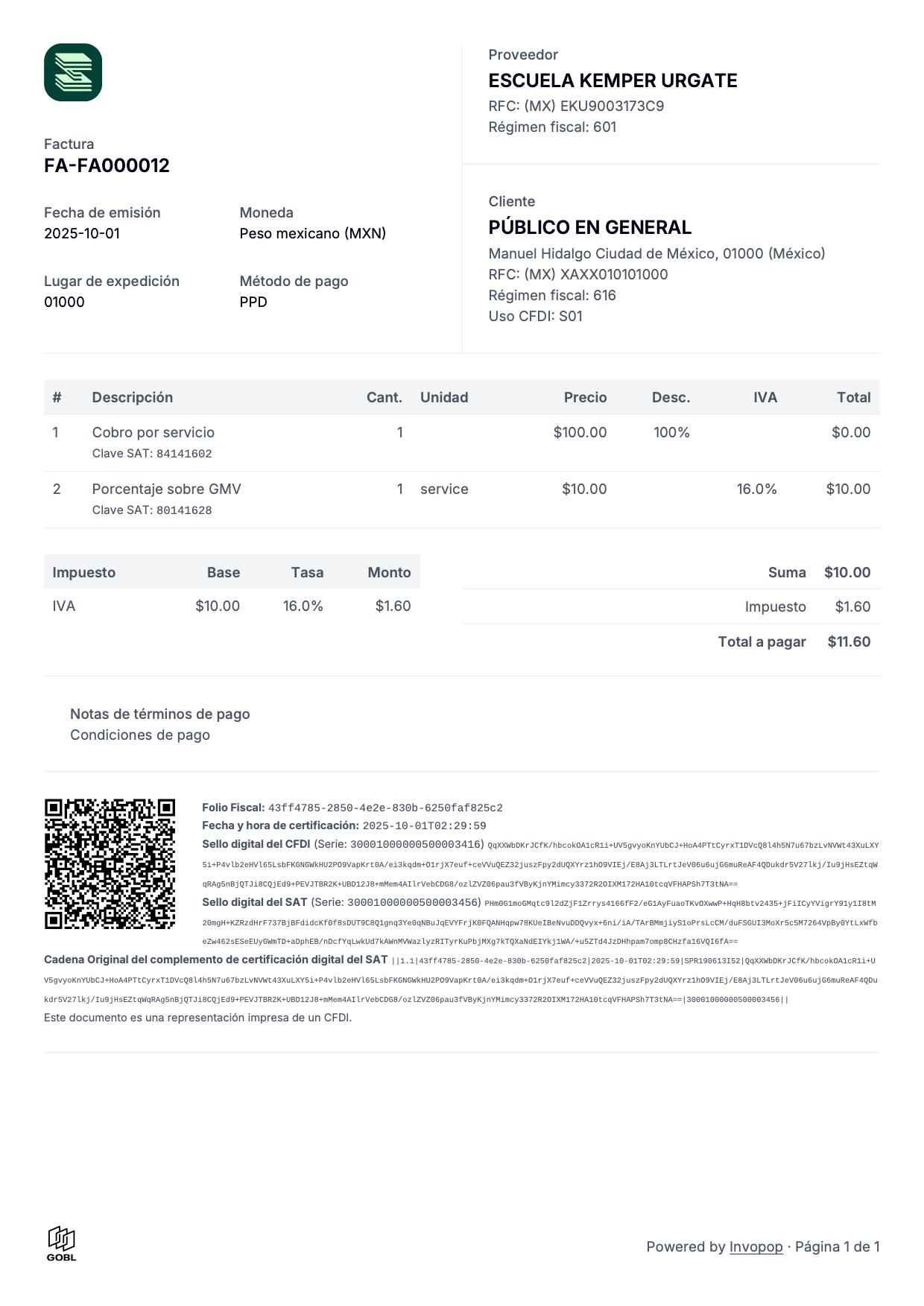
  <Accordion title="Mexican invoice (es)">
    <Frame caption="[View PDF](/assets/guides/pdf-mexico-es.pdf)">
      <img src="https://mintcdn.com/invopop-link-fix/1lP6Ab0d1FMqmHMb/assets/guides/pdf-mexico-es.png?fit=max&auto=format&n=1lP6Ab0d1FMqmHMb&q=85&s=102f3ca7535c32f6b567399117276bf6" width="400" alt="Example PDF invoice - Mexican invoice in Spanish" data-path="assets/guides/pdf-mexico-es.png" />
    </Frame>
  </Accordion>

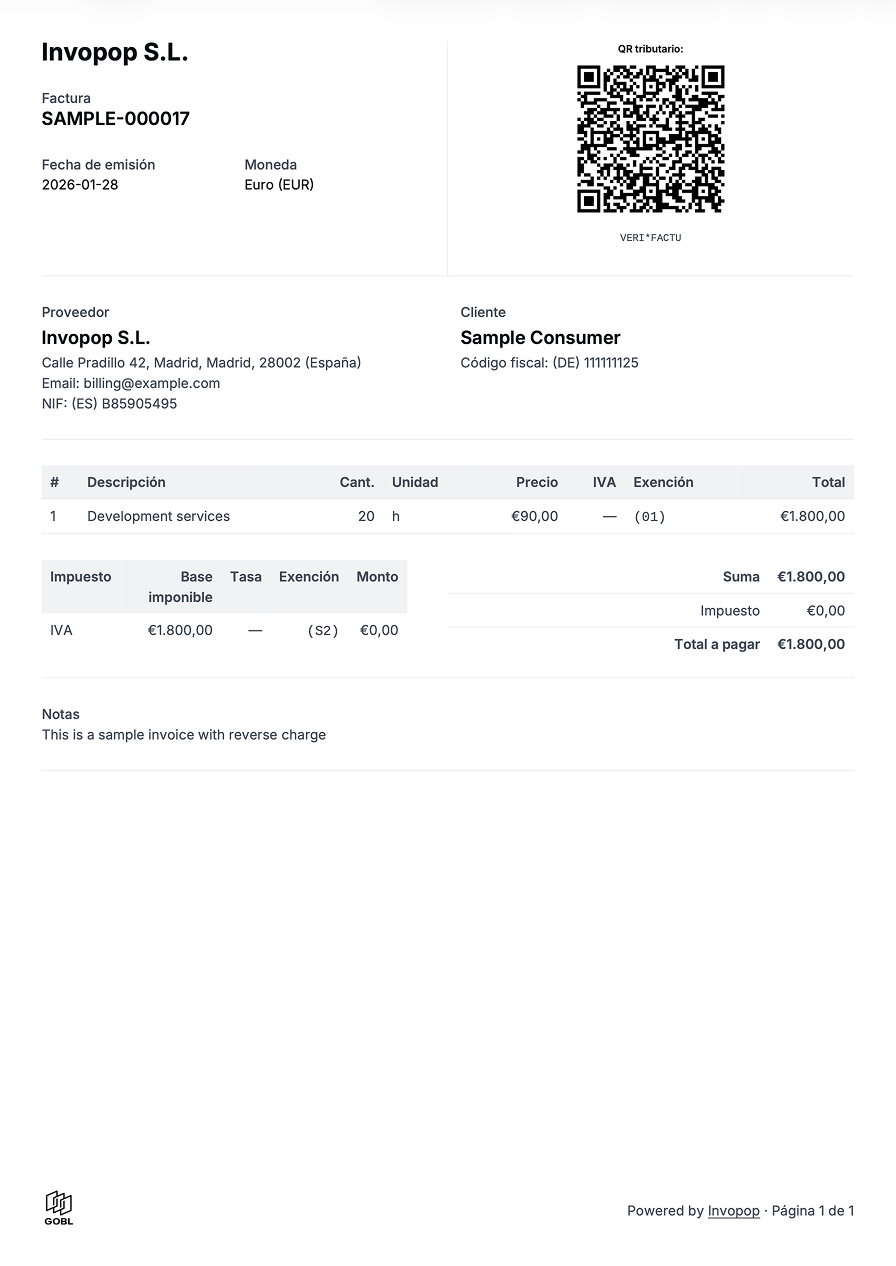
  <Accordion title="Spanish VERI*FACTU invoice (es)">
    <Frame caption="[View PDF](/assets/guides/pdf-verifactu-es.pdf)">
      <img src="https://mintcdn.com/invopop-link-fix/1lP6Ab0d1FMqmHMb/assets/guides/pdf-verifactu-es.png?fit=max&auto=format&n=1lP6Ab0d1FMqmHMb&q=85&s=b0d558ccf140b6e4060e0bcc236fd82b" width="400" alt="Example PDF invoice" data-path="assets/guides/pdf-verifactu-es.png" />
    </Frame>
  </Accordion>

  <Accordion title="Basque Country TicketBAI invoice (eu)">
    <Frame caption="[View PDF](/assets/guides/pdf-tbai-eu.pdf)">
      <img src="https://mintcdn.com/invopop-link-fix/1lP6Ab0d1FMqmHMb/assets/guides/pdf-tbai-eu.png?fit=max&auto=format&n=1lP6Ab0d1FMqmHMb&q=85&s=dc2b9fee69b9c2652fbed92b531e475f" width="400" alt="Example PDF invoice" data-path="assets/guides/pdf-tbai-eu.png" />
    </Frame>
  </Accordion>
</AccordionGroup>

## FAQ

<AccordionGroup>
  <Accordion title="How can I add a different logo for each supplier?">
    Add it to the supplier object within a `logos` array, the first logo in the array will be used. Make sure the "Generate PDF" step is not configured with a logo, as it will override the supplier's logo.

    ```json theme={null}
        "supplier": {
            "name": "Invopop SL",
            "tax_id": {
                "country": "ES",
                "code": "B85905495"
            },
            "logos": [
                {
                    "url": "https://assets.invopop.com/logo.png",
                    "height": 100,
                    "width": 100
                }
            ]
        }
    ```

    If the logo is not displayed, make sure your image is publicly accessible. Sometimes server restrictions prevent our services from accessing the image. A convenient way to verify that your image is publicly accessible is by asking an AI assistant “is this URL https\://… publicly accessible?”.
  </Accordion>

  <Accordion title="Why would I want to use adjustment invoices?">
    Spain, along with a very small selection of other countries like Poland, doesn’t officially recognise the concept of credit or debit notes. Instead they use the concept of corrective or adjustment invoices whereby the amounts are displayed as differences from the original document. The two main types are:

    * Replacement Invoice (Factura Rectificativa por Sustitución)  known in GOBL with the invoice type `corrective` and completely replaces any previous documents.
    * Adjustment Invoice (Factura Rectificativa por Diferencias) reflected in GOBL as either a `credit-note` or `debit-note` invoice type that appends to the previous documents.

    GOBL is designed to be an international format, so when deciding the types we try to take the most common business concepts and map them to local requirements. A credit note by definition implies a deduction from the preceding invoice, so all totals and values must be positive. This can cause confusion in Spain, where most companies are accustomed to the local way of issuing invoices with negative totals.

    When converting GOBL to the local tax agency format (like VERI\*FACTU XML in Spain), Invopop automatically inverts the values in a credit-note to ensure that the agency receives what they are expecting, while at the same time maintaining global compatibility in the actual document. With these  changes, PDF can now apply the same logic to invert the totals and change the text translations while maintaining the same underlying information.
  </Accordion>
</AccordionGroup>

***

<Card title="Participate in our community" icon="forumbee" href="https://community.invopop.com" arrow="true" horizontal>
  Ask and answer questions about PDF invoices →
</Card>